
Fewer missed asks
AI email reply assistant for Gmail
Reply to complex emails with fewer loose ends.
MailCat is a Chrome extension that surfaces the questions in your Gmail message, helps you choose your answers, and builds a reply from those decisions. You review, insert, and send.
- No card required
- You review every word
- MailCat never sends
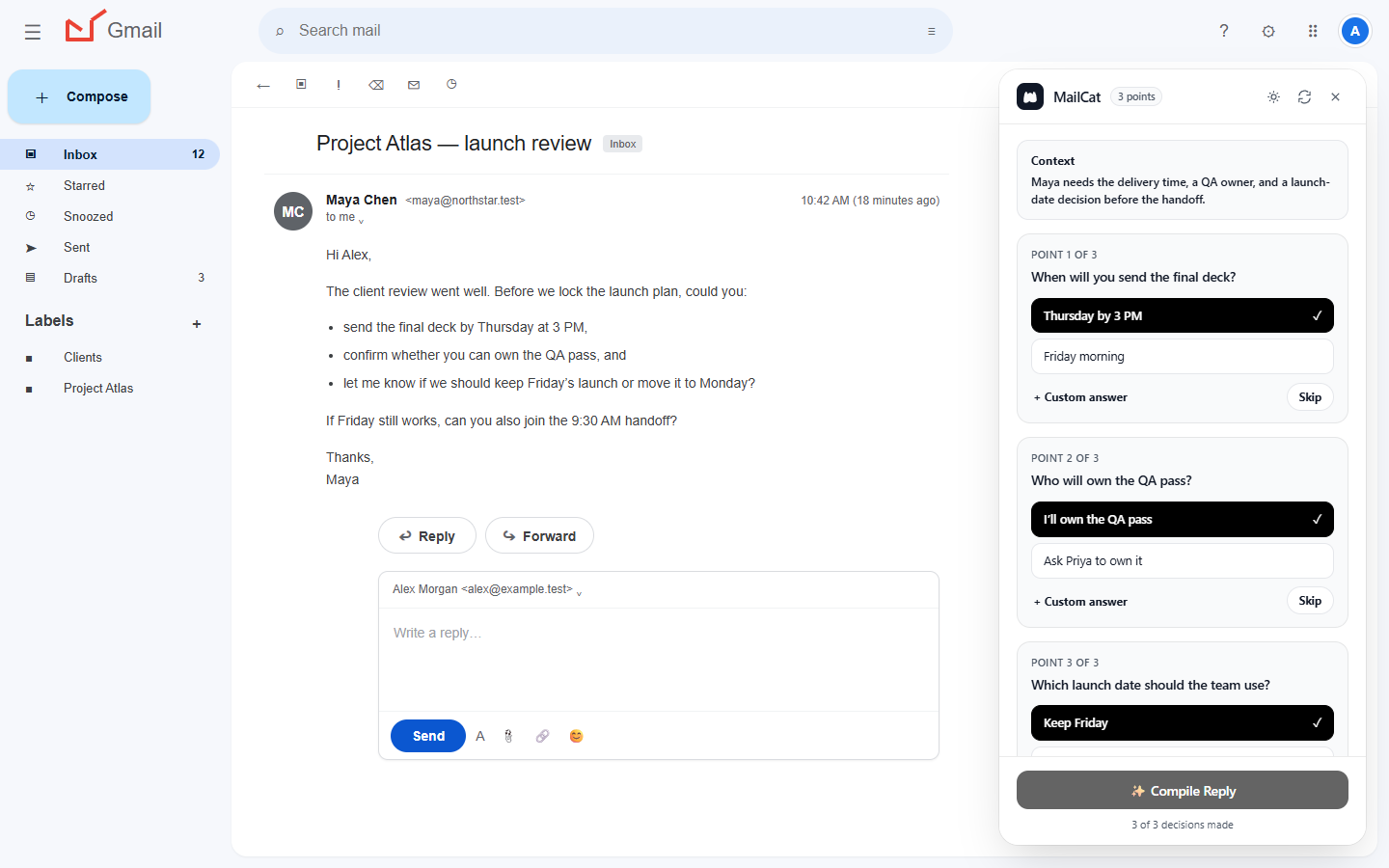
01 Questions, surfaced
02 Your decisions, captured
No fuzzy commitments
Make the decisions before polishing the prose.
No blank-page drag
Start with a coherent reply, not a blinking cursor.
Ready to review. Still yours to change.
No lost control
Move faster without handing over the Send button.
How it works
An AI Gmail reply workflow that starts with your decisions.
MailCat separates thinking from writing. You make the calls; it handles the assembly. The result is a faster reply with fewer loose ends.
-
01
Get the whole picture
Click Reply. MailCat finds the decisions hiding in the message.
It connects to that exact thread and editor, reads the visible target message and relevant visible quotations, and identifies points that need your answer. Check them against the email; AI can miss details. Attachments are not read.
-
02
Think once, clearly
Answer each point in the way that fits your work.
Pick a suggested option, write a custom answer, skip a point, or add one instruction for the whole reply. Commitments become visible before they become sentences.
-
03
Skip the blank page
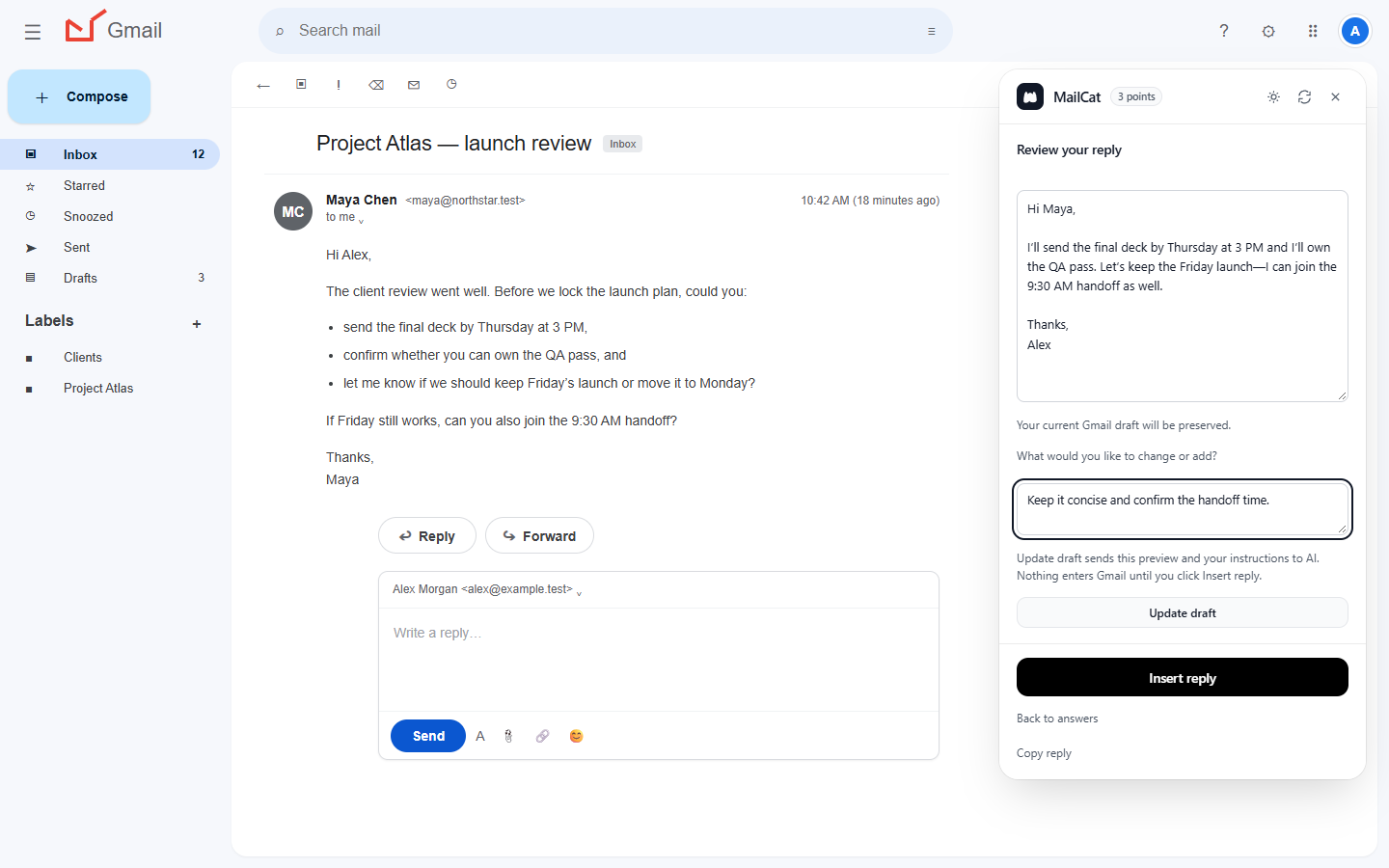
Compile your choices into one coherent draft.
Edit the preview directly or describe an adjustment and click Update draft. Nothing touches Gmail until the wording feels right to you.
-
04
Stay the sender
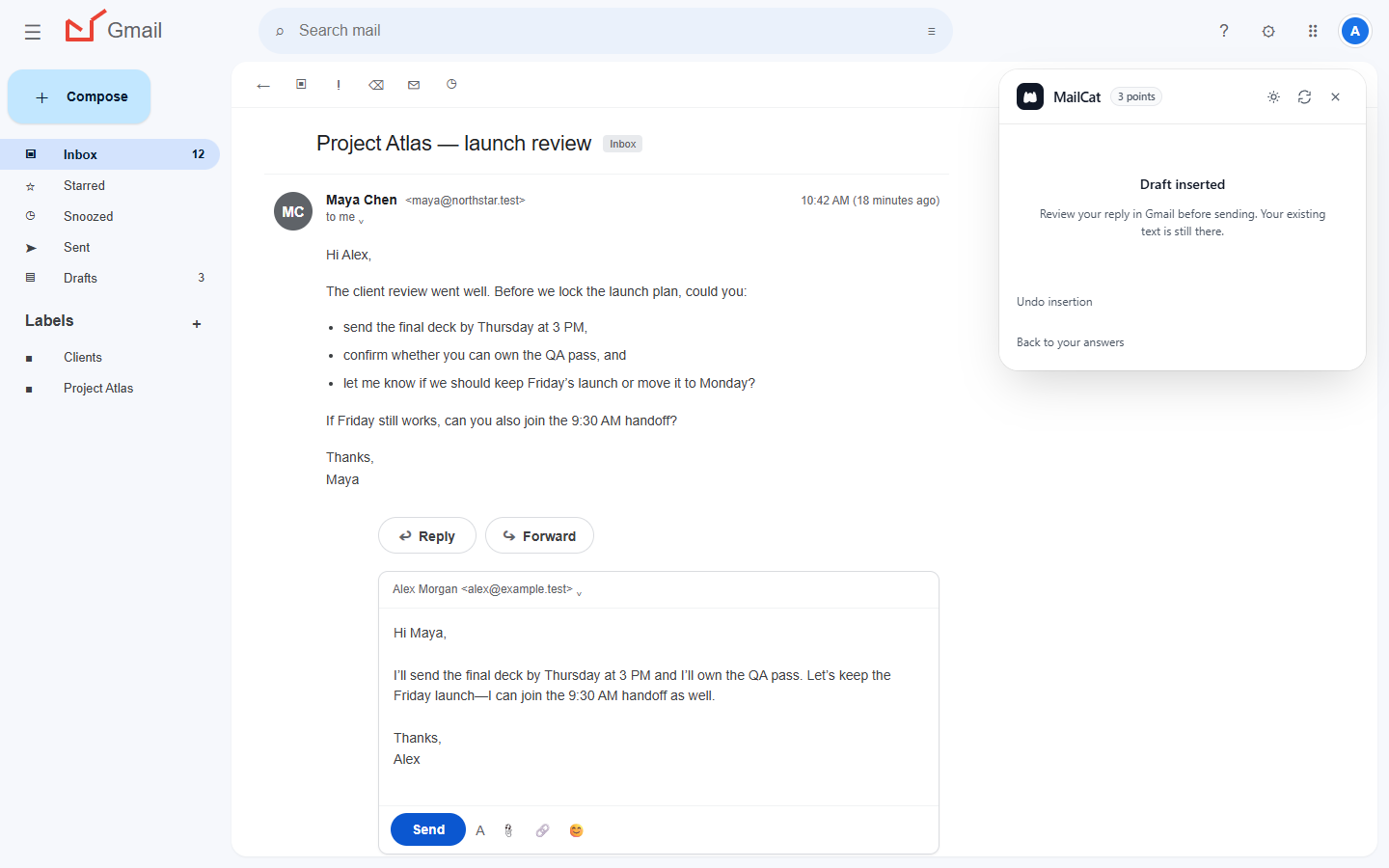
Insert, review, and send when you are ready.
Insert reply writes the approved text into the connected Gmail editor and preserves your existing draft. You check the recipients. You press Send.
Simple pricing
Less inbox friction. More work moved forward.
Try the complete workflow for seven days. No card, no automatic charge, and no stripped-down trial experience.
7 days free
No card
Cancel anytime
MailCat Unlimited
Monthly plan$9.99USD
per month · applicable taxes shown at checkout
Everything you need to finish the reply:
- Unlimited assisted replies
- Decision cards, custom answers, and skip controls
- Editable drafts and instruction-based updates
- Explicit insert, copy, and undo controls
Your trial starts when you create a MailCat account. MailCat prompts you to choose a plan when the trial ends. Fair-use, capacity, and service-availability safeguards apply.
Canceling an active subscription keeps access through its paid period. No payment is taken during the no-card trial.